


Private Maps by MapQuest
4.037.00 Reviews
App Specs
- Version
- 1.1.26
- Updated On
- License
- Free
- Downloads
- 10,000+
- Developer
- MapQuest
- Categories
- Maps & Navigation
- Platform
- Android, iOS
Screenshots
 Analysis by AppCompare
When navigation goes wrong, it is often at the least convenient moment: a search returns a place with a similar name, a turn arrives before you are ready, or your connection falters just as you leave a familiar road. I’m interested in whether a map app can make those moments less stressful without asking me to give up the privacy it promises. Private Maps by MapQuest is a free navigation app from MapQuest, and its appeal is straightforward: it puts private-minded map use at the center rather than making navigation feel like a social activity.
Where a navigation app can trip you up
The first hurdle is not usually the map itself; it is getting a destination entered clearly and then knowing what the app is doing next. A broad search such as a shop name can bring up several possibilities, so I would check the full address or neighborhood before starting a drive. That small pause is more useful than trusting the first match, particularly when a business has more than one branch.
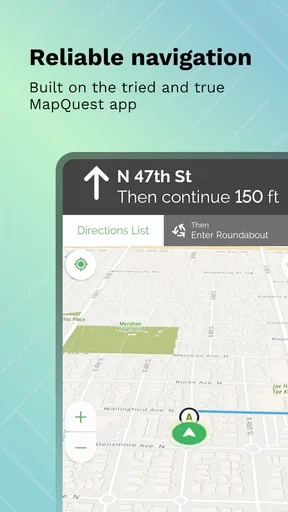
Voice directions can also be hard to follow if they arrive late or compete with traffic noise. In my experience, the sensible approach is to glance at the route overview while parked, then rely on spoken guidance only as support rather than as the whole plan. If a direction seems out of step with the road, I would pull over safely before checking the map instead of trying to diagnose it while moving.
Check the basics before setting off
The app is aimed at people who want a relatively simple map-and-navigation experience, not a complicated trip-planning workspace. It is rated for Everyone, and the current version is 1.1.26; it needs Android 7.0 or later. The product is also available on iOS, so the practical first step is to check compatibility on the device you intend to use rather than assuming an older phone will run it smoothly.
Before a trip, I would open the app while connected, confirm that the destination is the right one, and review the route before leaving. If you plan to depend on offline maps, save the area in advance and make sure the part of the journey you care about is covered. Offline access can help when mobile data is unreliable, but it is not a substitute for checking the route before you lose signal.
Private Maps has an average rating of 4.0 from 117 ratings, with 37 written reviews and over 10,000 installs. Those figures suggest that it has attracted a modest group of users, rather than the enormous audience of the best-known map platforms. The app is free to install, with in-app purchases ranging from $4.99 to $29.99 per item, so I would check any purchase screen carefully and decide whether an optional item is worth it for your own use.
Using Private Maps in everyday travel
I use this section to focus on a small habit that makes everyday navigation easier: settle the destination and route before the trip becomes busy. Checking the address while parked gives me room to catch a look-alike search result or rethink a stop, and it sets up a calmer way to recover if plans change along the way.
Worth Reading Before You Choose

EA SPORTS FC Mobile 26 Is a Bigger Football Game, but It Takes Time

Flipboard Shows What News Apps Must Do Beyond the Feed

Switching to Android Auto Means Rethinking Your Driving Routine

Google Calendar Makes a Crowded Week Easier to Manage

Ludo King Makes the Most of the Minutes Between Plans

Baby Panda World Brings Quick Play to Modern Phones, but Its Game Library Feels Busy
A practical route workflow
A useful way to approach an unfamiliar outing is to search for the main destination first, verify the address, and then look over the route before starting navigation. If you are making several stops, put them in a sensible order before you leave instead of trying to reorganize the day from the driver’s seat. That is especially helpful when a short errand grows into a longer trip and you need to keep the next stop straight.
For example, imagine you are driving across town to meet a friend, then need to pick up groceries on the way home. I would check the meeting place against the address, note where the second stop sits relative to the return route, and start the journey with the first destination clearly selected. If the plan changes, stop somewhere safe and update it then. This kind of simple preparation makes navigation calmer without depending on a feature the app may not offer.
Recovering when a route or search goes off track
If the wrong place appears, I would not keep tapping through results while moving. Stop in a safe place, refine the search with a street, district, or other identifying detail, and confirm the result before asking for directions again. For a route that no longer matches your plans, reset the destination rather than assuming the existing route will understand the change.
When the app seems slow or a map does not appear as expected, first check whether the phone has a usable connection and whether location access is enabled for the app in the device settings. Then close and reopen the app, and try the search again. These are ordinary checks, not a guarantee that every issue is caused by your phone; they simply help separate a temporary device or connection problem from a persistent app problem.
When the problem is outside the app
Navigation depends on more than software. A weak signal, a tunnel, tall buildings, roadworks, or a location pin placed at the wrong entrance can all make a perfectly reasonable route feel unreliable. If you are going to a large venue, check whether the address leads to the entrance you actually need, especially if the final approach involves a car park or a one-way road.
Traffic guidance is useful as a changing estimate, not a promise that the fastest route will stay fastest. I would leave extra time when arriving at an appointment that matters and avoid making a last-second turn just because an alternate route looks shorter. If you need detailed live incident reporting or a large community of drivers contributing road updates, a more established navigation service may suit you better.
What privacy means in practical use
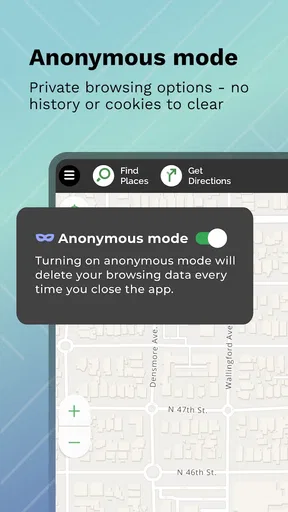
The privacy angle is a reason to consider this app, but I would not treat the word “private” as a complete explanation of how every setting or data practice works. Before relying on any navigation app for sensitive trips, I would review its current privacy information and the location controls on my phone. You can also make a habit of granting location access only as needed through your device settings, where those controls are available.
That caution does not cancel out the app’s core appeal. For someone who wants navigation without making public sharing or a social profile part of the experience, the focus feels reassuring. Still, privacy-conscious users should make their decision based on the app’s current settings and policy, not on a name alone.
Who is likely to enjoy it—and who may prefer another map
I can see this working well for someone who wants a direct map app for local trips, occasional unfamiliar drives, and basic destination searches. It is also worth considering if the privacy-first framing matters more to you than a long list of community features. MapQuest has kept the experience approachable, which is helpful if you would rather enter a place and get moving than spend time configuring a complex navigation setup.
On the other hand, drivers who depend on extensive transit planning, highly detailed cycling directions, frequent road alerts, or tightly integrated trip sharing should compare it with the map tools they already use. The familiar alternatives often have broader ecosystems and more visible layers of local information. That breadth can be genuinely useful, but it may not be the priority for someone who simply wants a map and a route.
It is also a less obvious fit for anyone expecting privacy to mean that no location data is ever involved. Navigation needs location information to guide you, so the meaningful question is how the app handles it and what controls you have. I would read the relevant settings before making it my default for every trip.
Features that stand out
One of the coolest features is the ability to save maps offline. This is super handy, especially when traveling abroad or in areas with spotty internet service. You can download maps ahead of time and access them without using data. Trust me, this feature has saved me more than once when my signal dropped.
Another great feature is the app's real-time traffic updates. It’s like having a personal traffic reporter in your pocket, guiding you through the quickest routes and helping you avoid congestion. The app also provides estimated arrival times, which I found to be pretty accurate during my testing.
Privacy matters
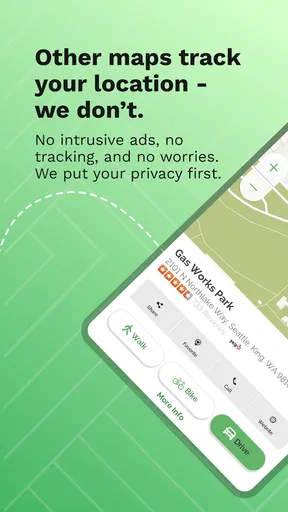
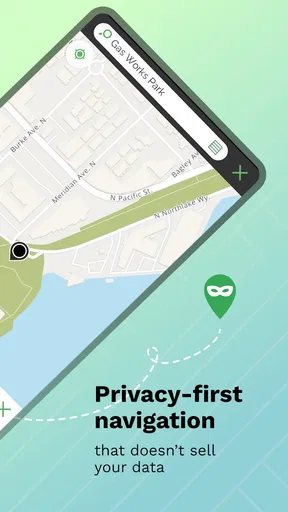
In today's world, privacy is a big concern, and this app addresses that head-on. Private Maps by MapQuest is designed with privacy in mind, ensuring your data is secure. You're not required to log every step or share your location with the world. It's refreshing to use an app that respects your personal space.
Exploring the world with ease
Whether you're a frequent traveler or just someone who occasionally ventures out of their comfort zone, this app proves to be a trusty companion. It helped me discover hidden gems in my own city that I never knew existed. The search function is robust, allowing you to look up everything from coffee shops to historical landmarks.
One afternoon, I decided to test its capability by planning a day trip. I plugged in multiple destinations, and the app seamlessly created an itinerary for me. As I followed the route, it was like having a knowledgeable friend guiding me to each spot.
Room for improvement
While the app performs well overall, there are a few areas where it could improve. Occasionally, the voice navigation lags slightly, which can be a bit confusing if you're driving. Additionally, the map graphics, while clear, could benefit from a more modern design. A little aesthetic update would go a long way in enhancing the user experience.
A measured recommendation
So, would I recommend Private Maps by MapQuest? Absolutely. It's a solid choice for anyone looking for a practical, reliable navigation app that doesn't compromise on privacy. The combination of offline maps, real-time traffic updates, and a user-friendly interface makes it a standout choice.
In a world where navigation apps are a dime a dozen, finding one that genuinely prioritizes the user's experience and privacy is rare. So next time you're planning a trip or just heading out on a spontaneous adventure, give this app a try. You might just find it becomes your new travel buddy.
Pros
- Detailed offline maps available.
- User-friendly interface design.
- Real-time traffic updates.
- Customizable map layers.
- Frequent updates and improvements.
Cons
- Limited public transport info.
- Some features require premium.
- Occasional GPS inaccuracies.
- Battery usage can be high.
- Ads in free version are intrusive.
FAQs for Private Maps by MapQuest
What features does Private Maps by MapQuest offer?
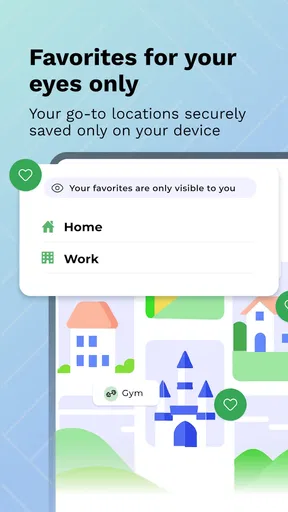
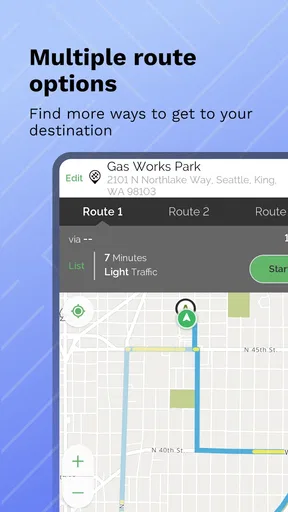
Private Maps by MapQuest offers a range of features including real-time GPS navigation, customizable routes, and traffic updates. Users can also save and access favorite locations, explore points of interest, and utilize offline maps for areas with limited connectivity. The app prioritizes privacy, ensuring user data is not shared without consent.
How does Private Maps by MapQuest ensure user privacy?
Private Maps by MapQuest is designed with privacy in mind, offering features that allow users to navigate without sharing their location data with third parties. The app uses secure encryption methods to protect user data, and it provides options to disable data sharing functionalities for enhanced privacy.
Is the app available for both Android and iOS devices?
Yes, Private Maps by MapQuest is available for download on both Android and iOS platforms. Users can easily find the app on the Google Play Store for Android devices and the App Store for iOS devices, ensuring widespread accessibility for users regardless of their device preference.
Does Private Maps by MapQuest offer offline navigation?
Private Maps by MapQuest provides offline navigation, allowing users to download maps and directions for areas they plan to visit. This is particularly useful in regions with poor internet connectivity, ensuring users can still navigate efficiently without relying on a continuous internet connection.
What are the pros and cons of using Private Maps by MapQuest?
Pros of Private Maps by MapQuest include robust privacy features, real-time traffic updates, and offline navigation capabilities. However, some users may find the map interface less intuitive compared to other navigation apps, and occasional updates might be needed to ensure accurate routing and address information.


